
Download Debut Pro – Screen Capture, Webcam Recording, Tutorial Creation
Overview
Debut Pro is a mobile application designed to facilitate screen and webcam recording, offering users a streamlined solution for capturing digital content on the go. The app is particularly well-suited for individuals who need to create instructional videos, tutorials, or presentations using their mobile devices. By enabling real-time recording of screen activity and live webcam feeds, Debut Pro supports a range of educational, professional, and creative workflows.
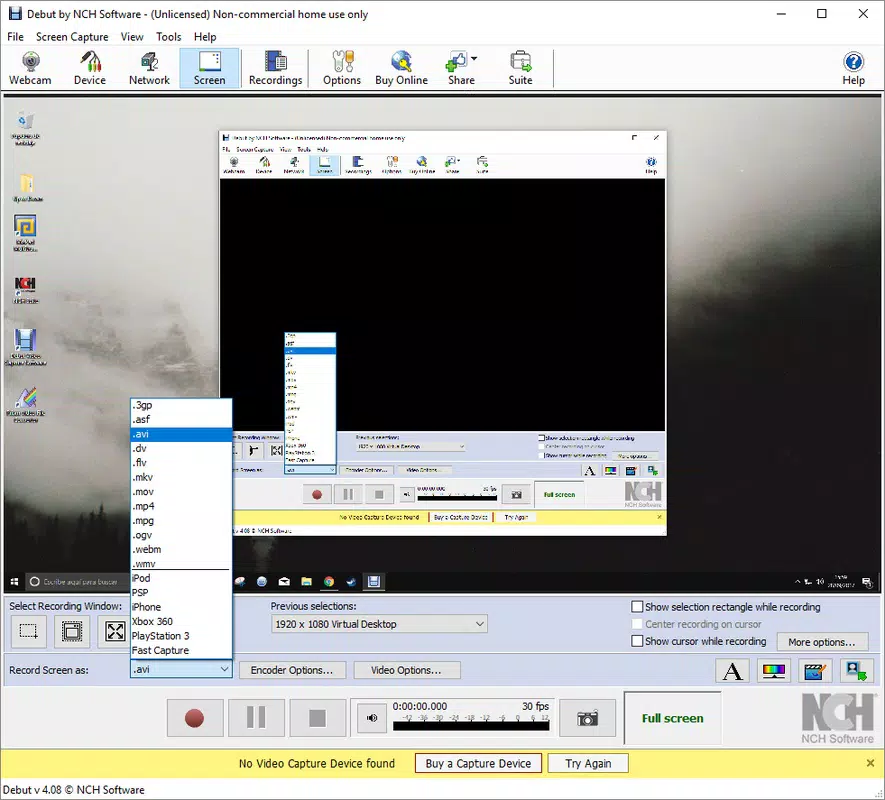
Its ability to automatically detect connected recording devices simplifies setup, reducing the technical barriers often associated with screen capture tools. This makes it an accessible option for users across various experience levels, from students and teachers to content creators and remote workers. The app aims to enhance productivity by allowing users to record, edit, and share content efficiently, contributing to a more dynamic digital communication ecosystem.
While the developer did not provide additional background details, the app’s focus on ease of use and functionality suggests a targeted approach to solving common challenges in mobile content creation. Specific real-world use cases include recording step-by-step app walkthroughs, documenting software bugs, or producing training materials for teams. As mobile devices become central to both personal and professional workflows, tools like Debut Pro play a growing role in empowering users to produce high-quality digital content independently.
Key Features & Functionality
- Automatic Device Detection: Debut Pro identifies any recording device connected to the mobile device, eliminating the need for manual configuration or driver installation. This ensures a seamless start to any recording session, particularly beneficial for users who switch between devices frequently.
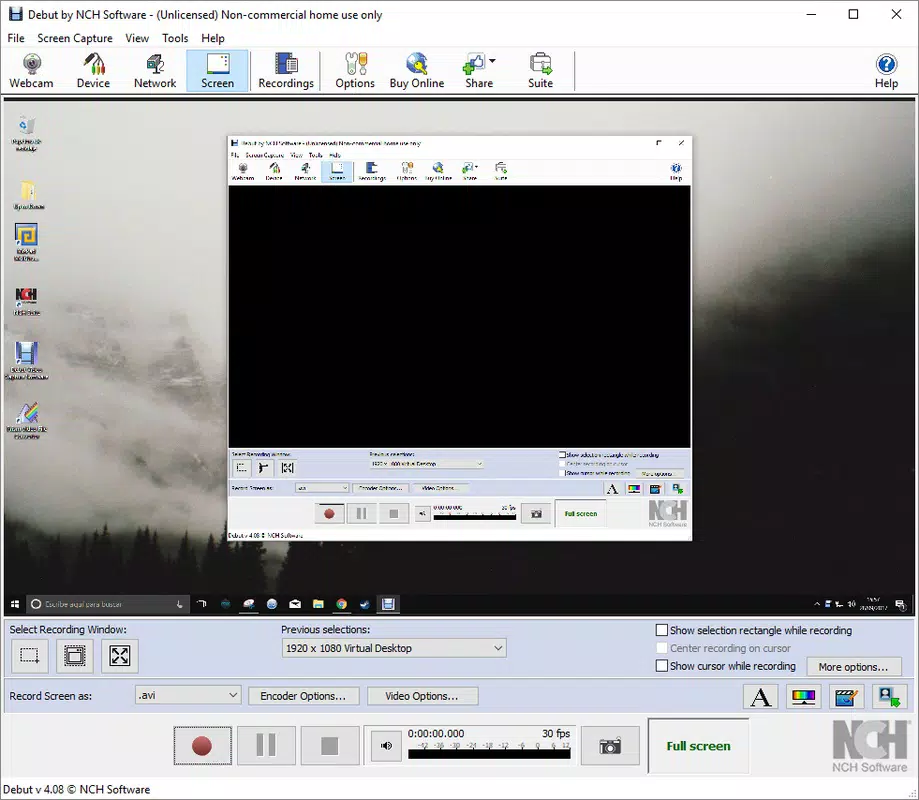
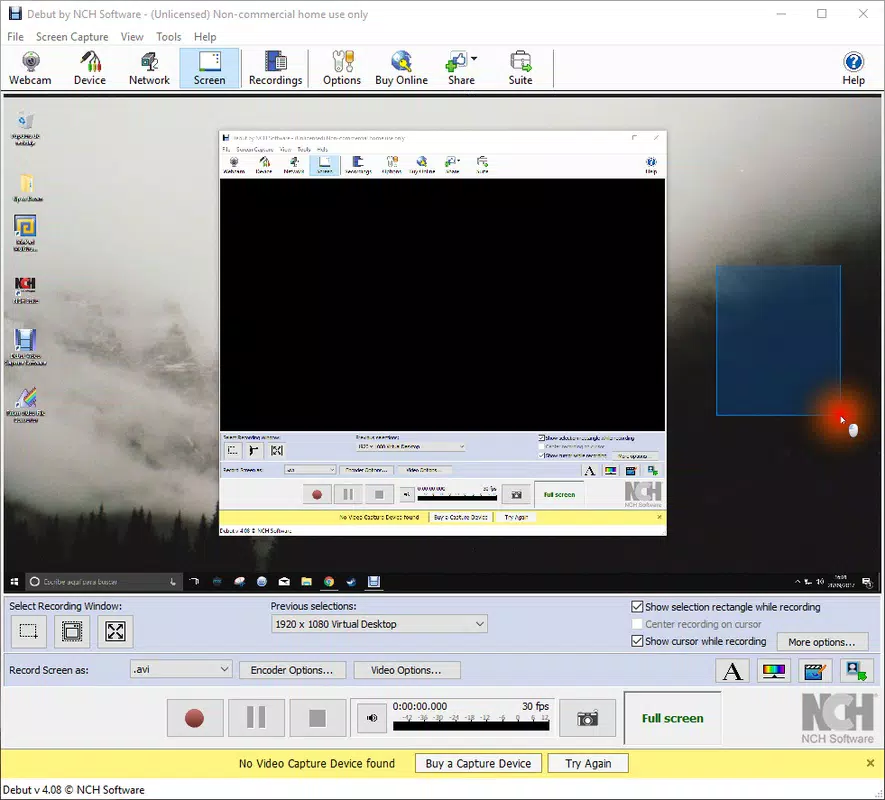
- Simple Screen Recording: Users can select a specific screen area for recording and preview the selection before beginning. This feature enhances precision, allowing for focused captures without unnecessary content, which is especially useful when creating tutorials or highlighting specific app functions.
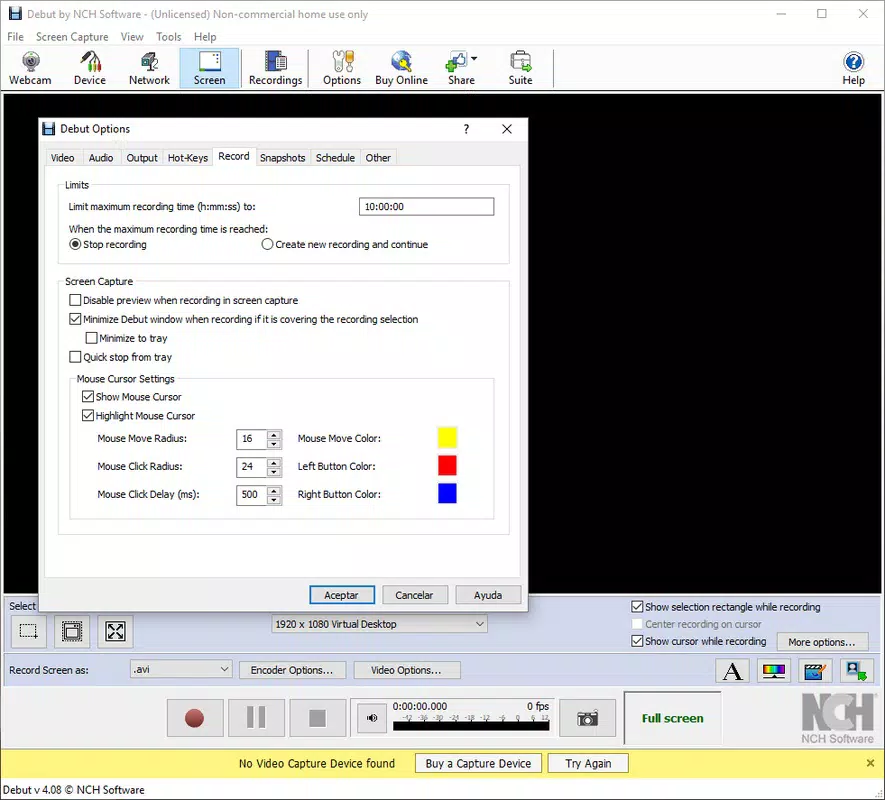
- Cursor Highlighting: The app allows customization of the cursor’s appearance, including color and glow effects. This feature significantly improves visibility in instructional videos, helping viewers follow along more easily during presentations or walkthroughs.
- Professional Quality Output: Debut Pro delivers high-quality recordings suitable for sharing across platforms. The output is optimized for clarity and smooth playback, making it ideal for training sessions, gameplay recordings, or content meant for public distribution.
- User-Friendly Interface: With a clean and intuitive layout, the app is accessible to users of all skill levels. The straightforward navigation reduces the learning curve, enabling users to focus on content creation rather than mastering complex software controls.
For example, a teacher can use the cursor highlighting and screen selection features to create a step-by-step guide for a classroom app, while a remote employee might record a quick walkthrough of a new workflow for team onboarding. The app’s functionality supports both quick, spontaneous recordings and more structured, polished productions.
Interface, UX & Performance
The user interface of Debut Pro is designed with clarity and simplicity in mind. The layout is organized to prioritize essential controls, such as start/stop recording, device selection, and preview options. Visual cues are used effectively to guide users through each step, minimizing confusion.
Navigation is intuitive, with minimal taps required to begin a recording session. The app maintains responsiveness across different device categories, ensuring smooth operation even during extended recording sessions. Although the developer did not list formal performance metrics, the app’s ability to detect devices and manage recording tasks suggests a stable and reliable operation.
Users can expect consistent performance when recording screen and webcam content, with no reported issues in handling simultaneous inputs. The interface adapts well to various screen sizes, maintaining readability and usability on both smaller and larger displays. Stability during recording is crucial for professional use, and while specific data was not provided, the app’s design principles indicate a focus on reliability.
The user experience is further enhanced by the preview function, which allows users to verify their selection before recording begins, reducing the need for re-recording. Overall, the app balances functionality with ease of use, making it a practical tool for everyday content creation.
Platform Compatibility & Technical Requirements
Debut Pro is available on Android and iOS platforms, supporting the latest versions of both operating systems. The app has a file size of 45.2 MB, making it lightweight and suitable for installation on devices with limited storage. The software version is 2.1.0, released on January 3, 2022.
Specific requirements were not listed, and the developer did not disclose minimum OS versions or hardware specifications. Compatibility information was not fully disclosed, so users should ensure their device meets general standards for running multimedia applications. The app’s lightweight design suggests it is optimized for performance on a wide range of mobile devices, from entry-level to high-end models.
However, actual performance may vary depending on device capabilities and background processes. Users are advised to check their device’s compatibility with similar recording tools before installation. The app is designed to function efficiently on modern smartphones and tablets, supporting both portrait and landscape recording modes.
Pros and Cons
- Simple, intuitive interface suitable for beginners and experts
- Automatic detection of recording devices streamlines setup
- Cursor highlighting enhances visibility in instructional content
- High-quality output for professional use
- Lightweight file size (45.2 MB) for easy installation
- Specific technical requirements were not disclosed
- Compatibility details were not fully provided
- Developer background information was not available
- Performance on older devices was not confirmed
- No information on cloud integration or file sharing features
FAQ
Is Debut Pro available for both Android and iOS?
Yes, Debut Pro is compatible with both Android and iOS platforms.
How large is the Debut Pro app file?
The app has a file size of 45.2 MB.
Does Debut Pro require special permissions to function?
The developer did not specify the exact permissions required.
Can I record my screen and webcam simultaneously?
Yes, the app supports recording both screen and webcam footage at the same time.
Is Debut Pro free to download and use?
The app is available for download, but the price was not disclosed in the provided information.
Final Thoughts
Debut Pro stands out as a capable and accessible mobile screen capture tool, particularly suited for users who need to create clear, professional-quality recordings for educational or professional purposes. Its automatic device detection, intuitive interface, and cursor highlighting features make it a strong choice for educators, remote workers, and content creators. While some technical details remain undisclosed, the app’s lightweight design and focus on usability suggest a well-optimized experience.
The ability to record screen and webcam content seamlessly enhances its value in today’s mobile-first environment. For anyone seeking a reliable tool to produce tutorials, training materials, or quick demonstrations, Debut Pro offers a compelling solution. Download Debut Pro now


